Prospecta
AI lead generation and CRM as a SaaS you run under your own name: find local businesses, learn why they fit, send polite email sequences from real mailboxes, and turn replies into deals.
Thank you for buying Prospecta. This guide takes you from the download to a live site, step by step. You do not need to write code. If something is unclear, write to us through the item's Support tab on CodeCanyon.
What is in the box
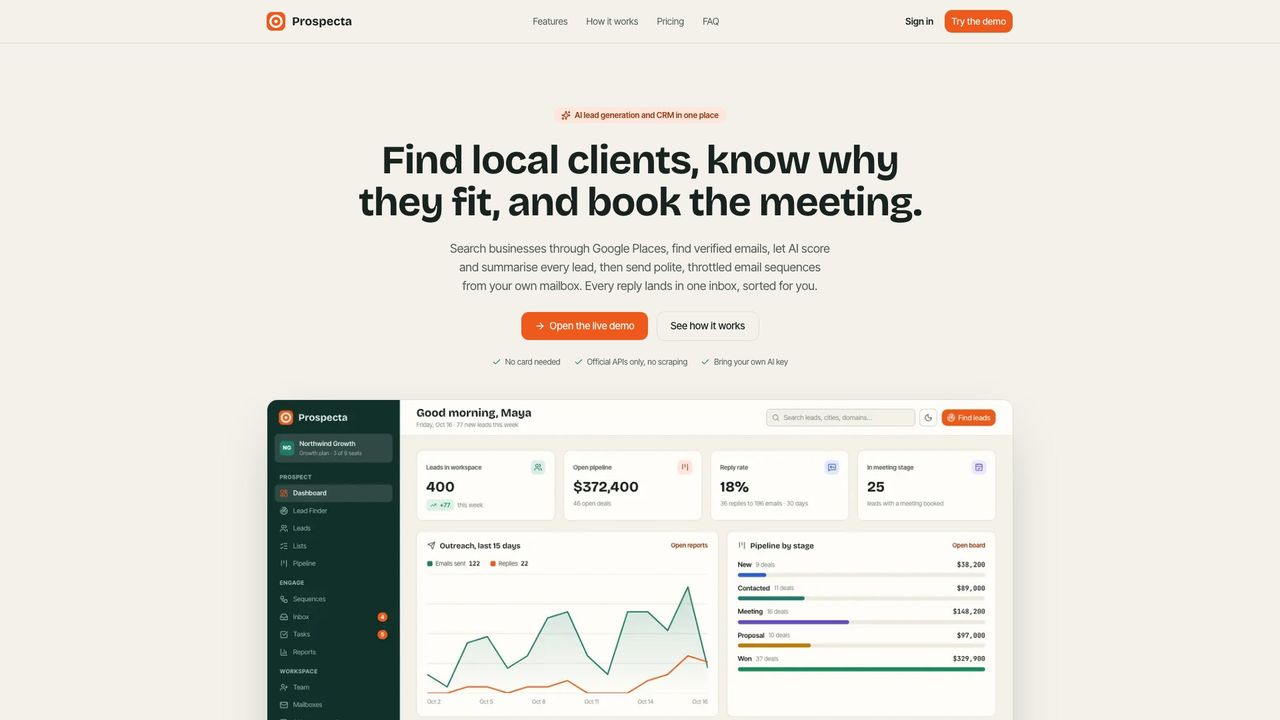
- Website: a landing page with features, pricing (from your plans) and sign-up.
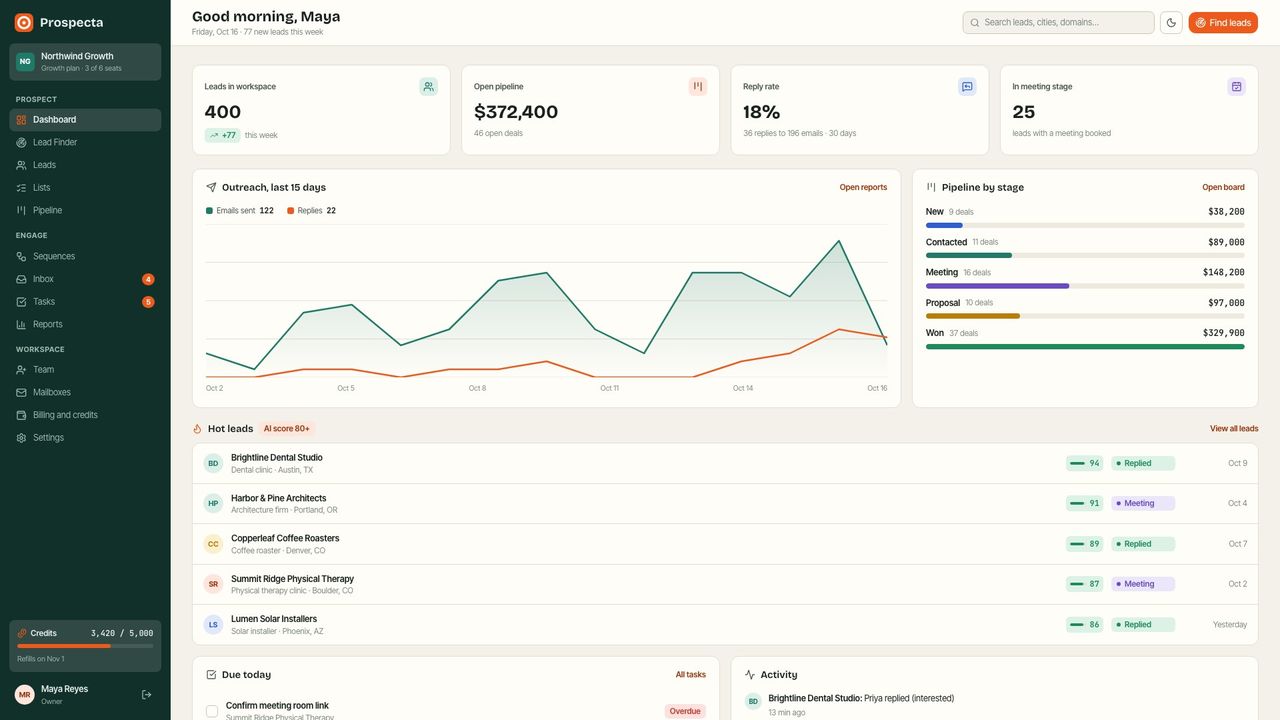
- Workspace (what your customers use): Dashboard, Lead Finder, Leads, Lists, Pipeline, Sequences, Inbox, Tasks, Reports, Team, Mailboxes, Billing and credits, Settings.
- Platform admin (what you use): every workspace, plans and credit costs, payments, provider keys, email delivery, branding, setup check and sample data.
- Background worker: sends sequence emails within each mailbox's limits, sends task reminders, refills monthly credits and cleans up.
Folders
| Folder | What it is |
|---|---|
prospecta_web_nextjs/ | The app: Next.js 16 (website, workspace, admin, API), Prisma 7 database schema and migrations, the worker, tests. |
deploy/ | docker-compose.yml and .env.example: the whole server in one command. |
docs/ | This guide, as HTML and PDF, with screenshots. |
LICENSE.txt, CHANGELOG.md | Licence summary and version history. |
Screenshots
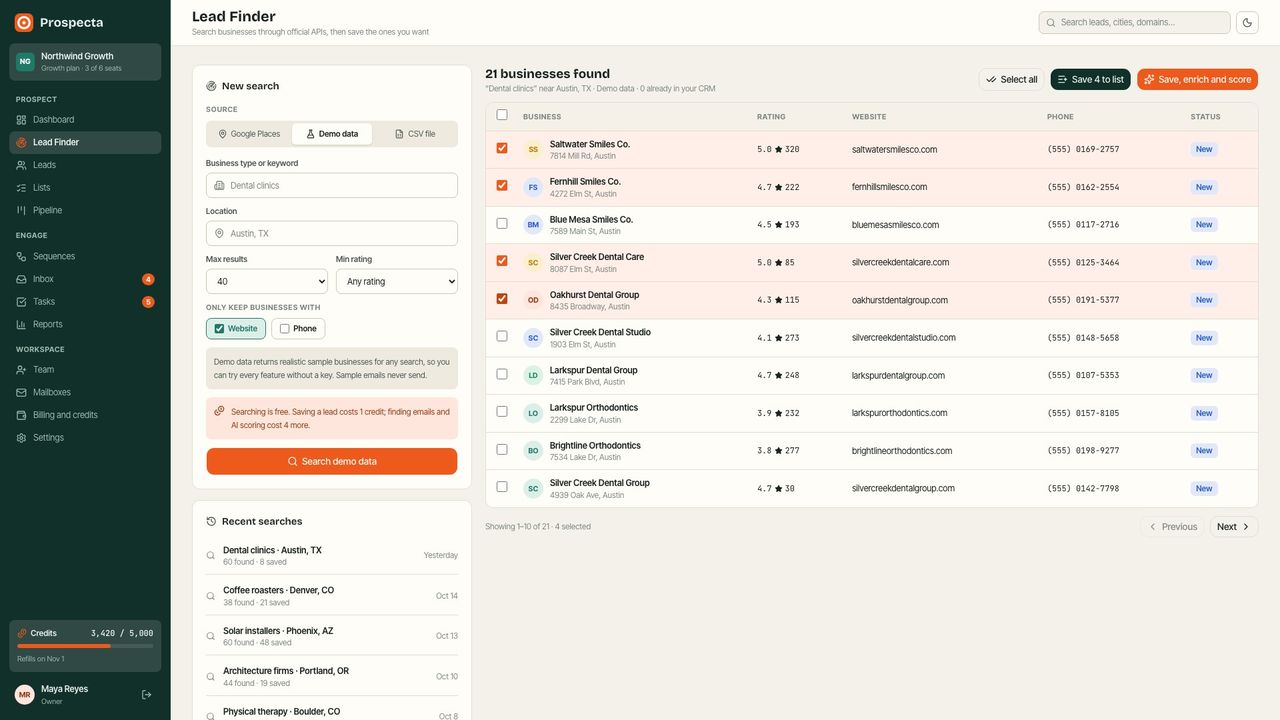
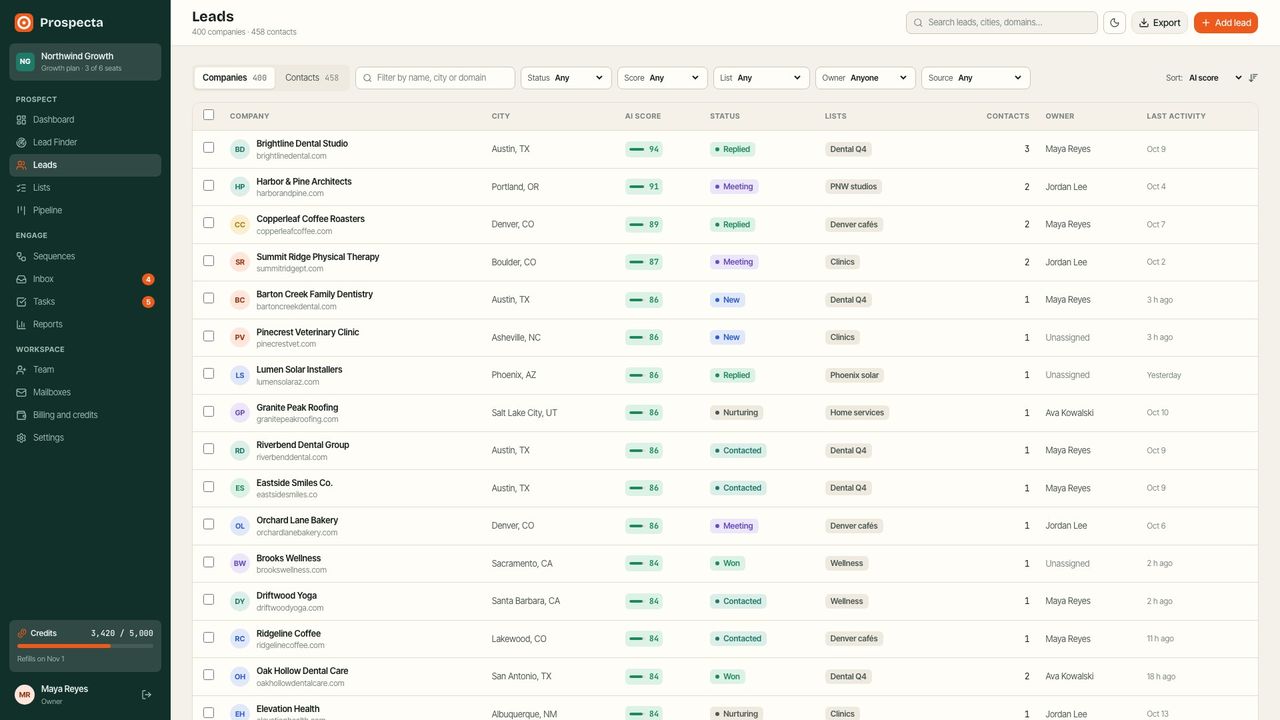
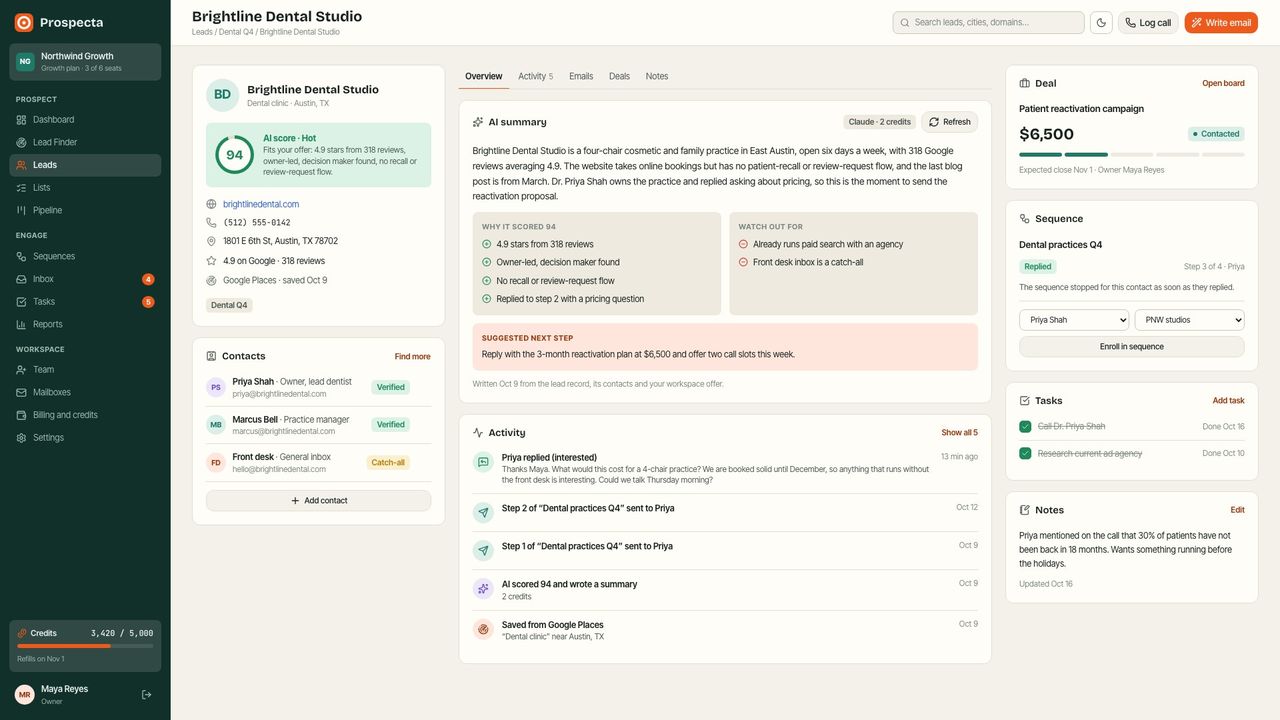
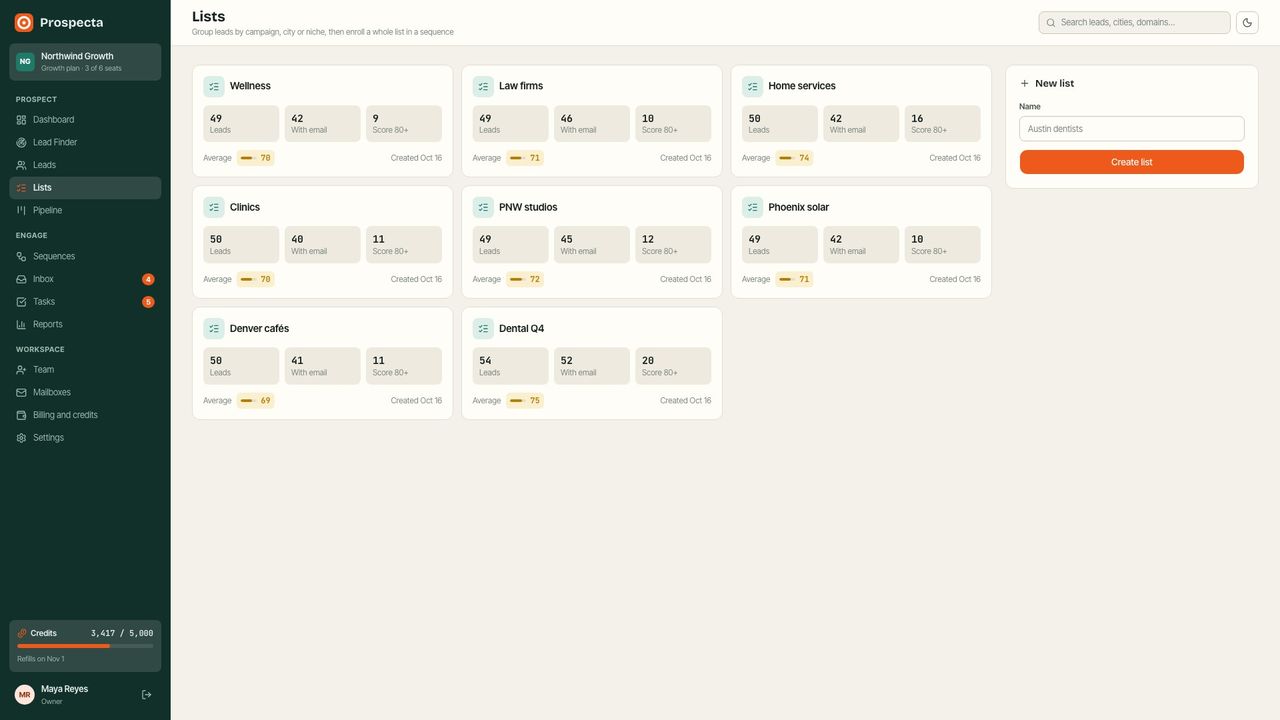
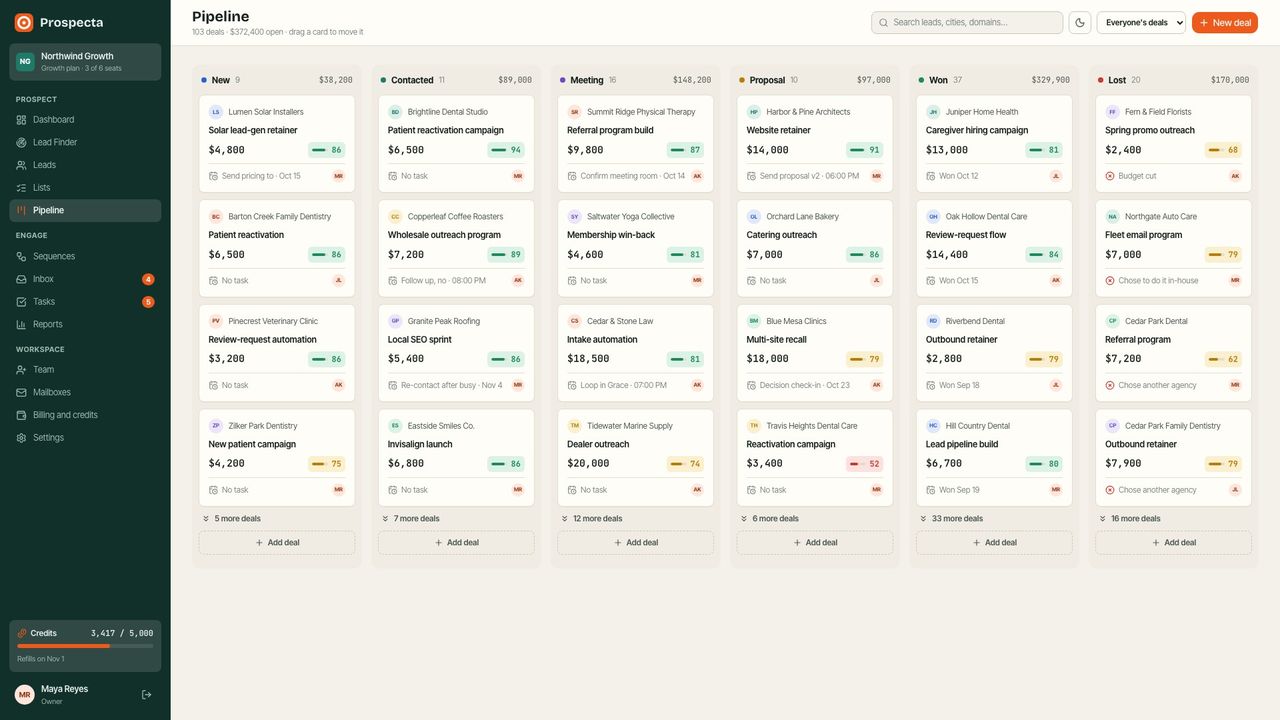
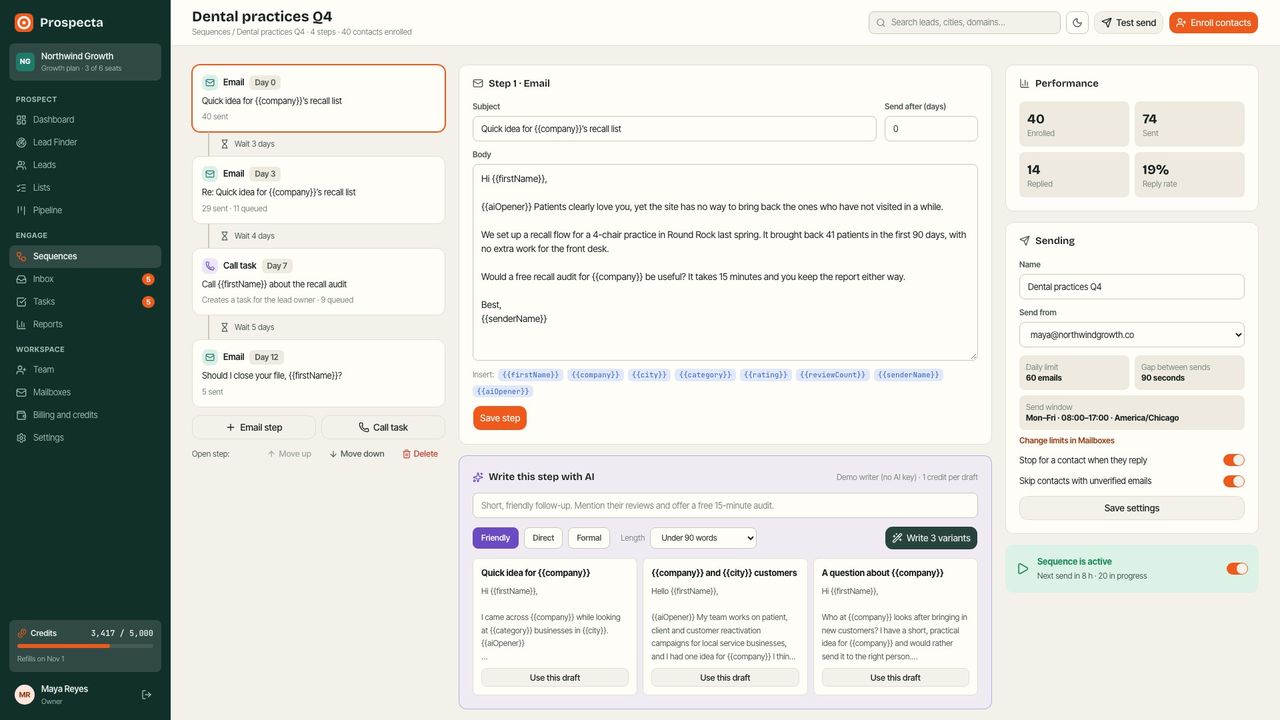
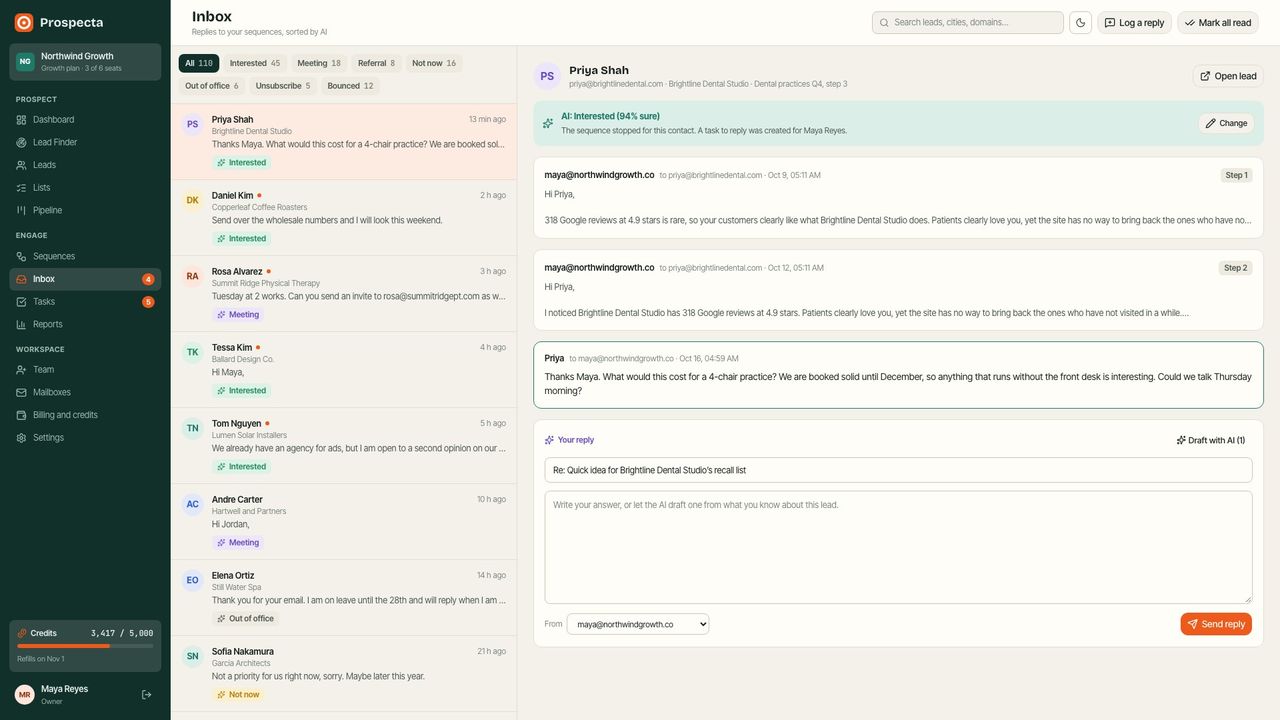
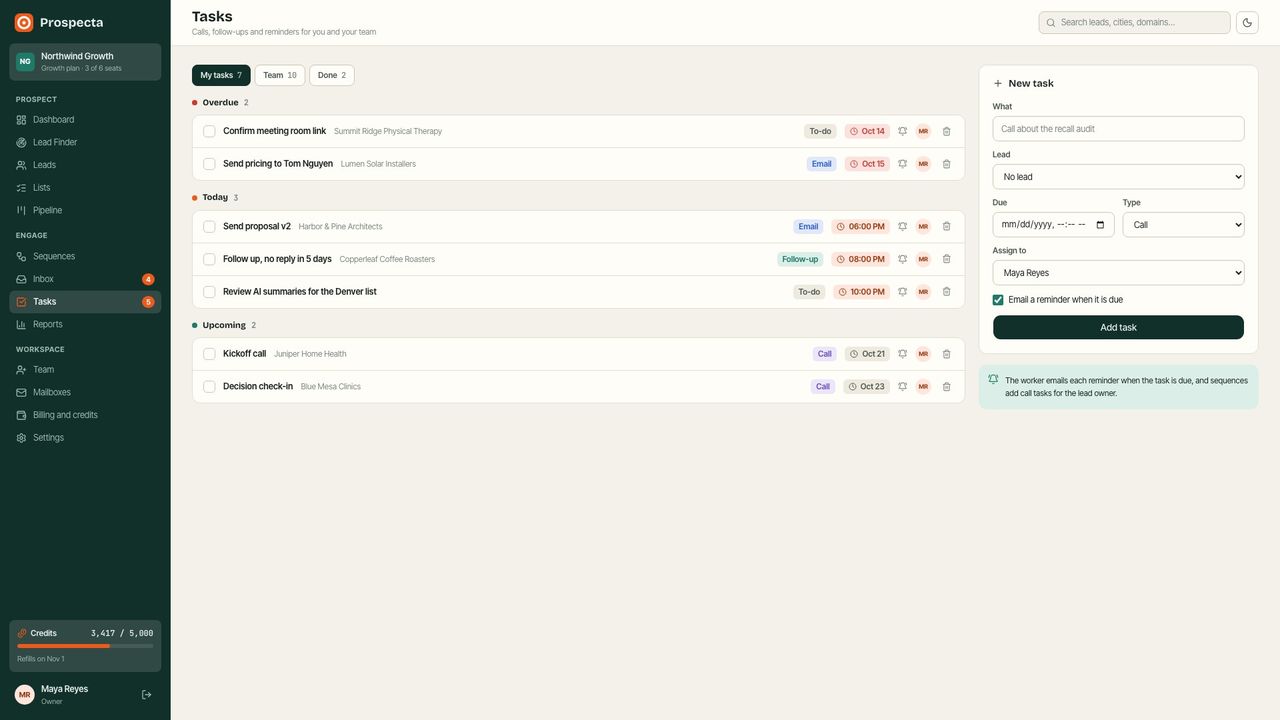
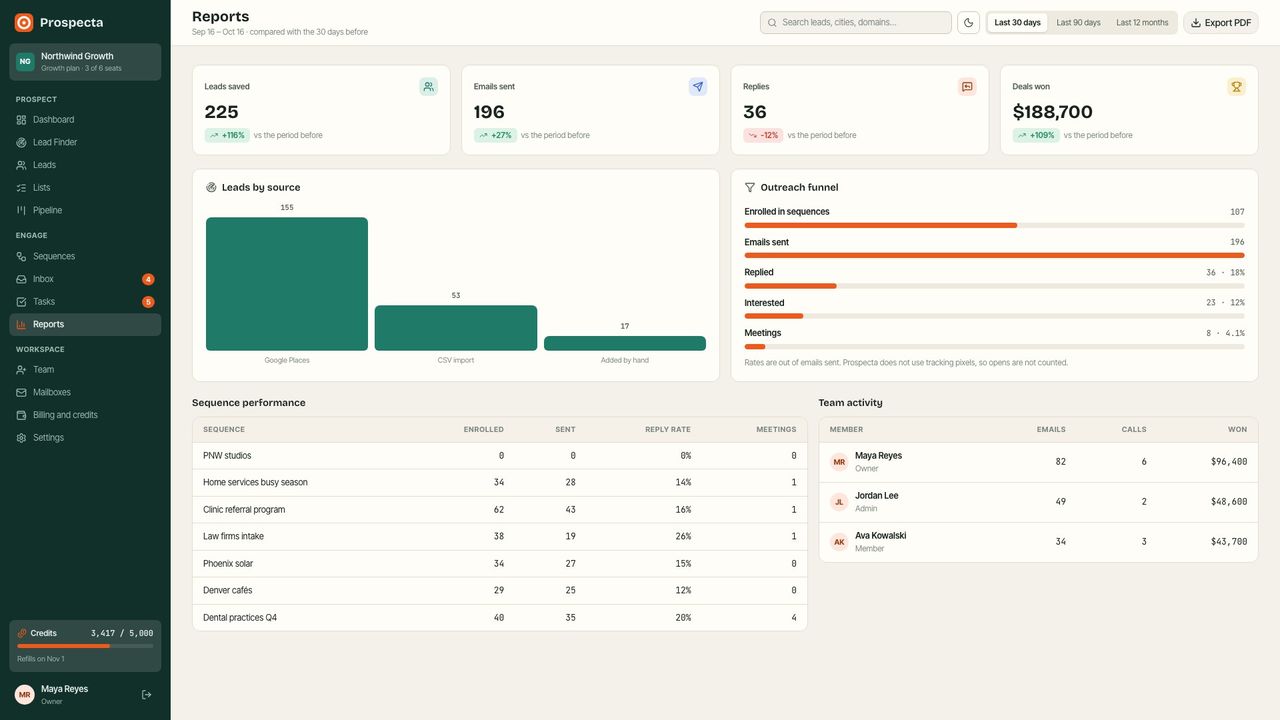
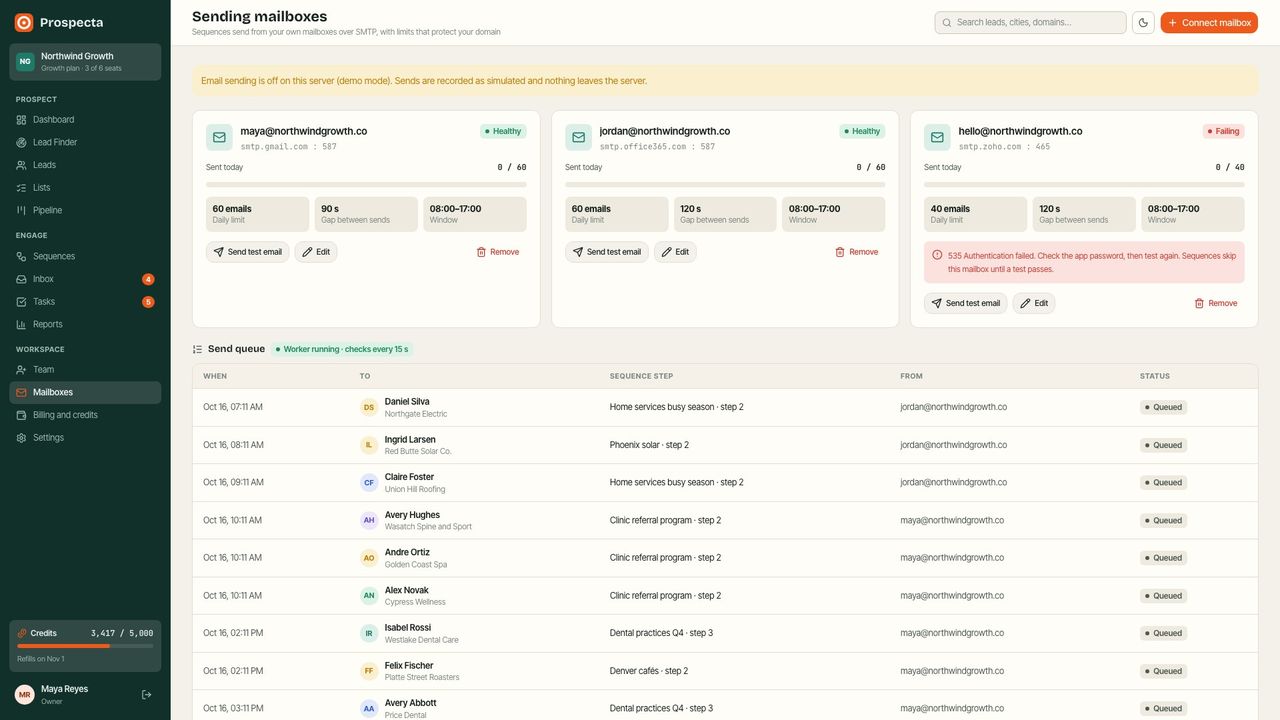
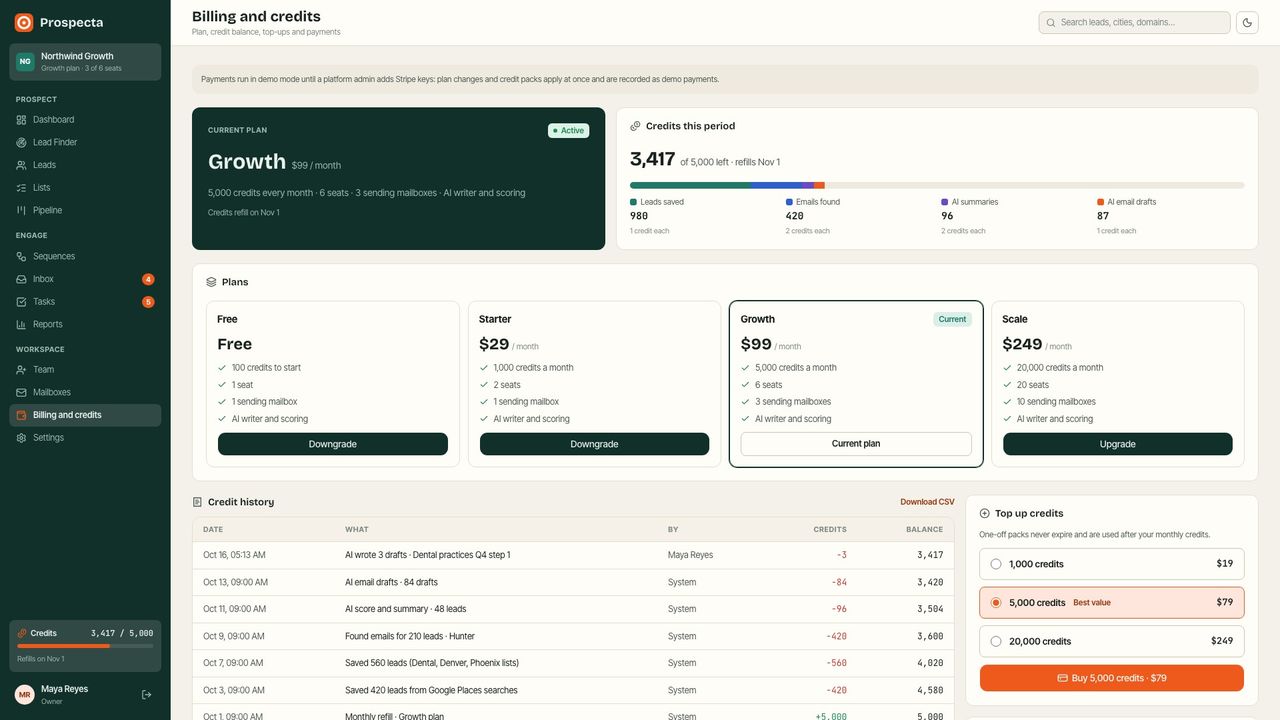
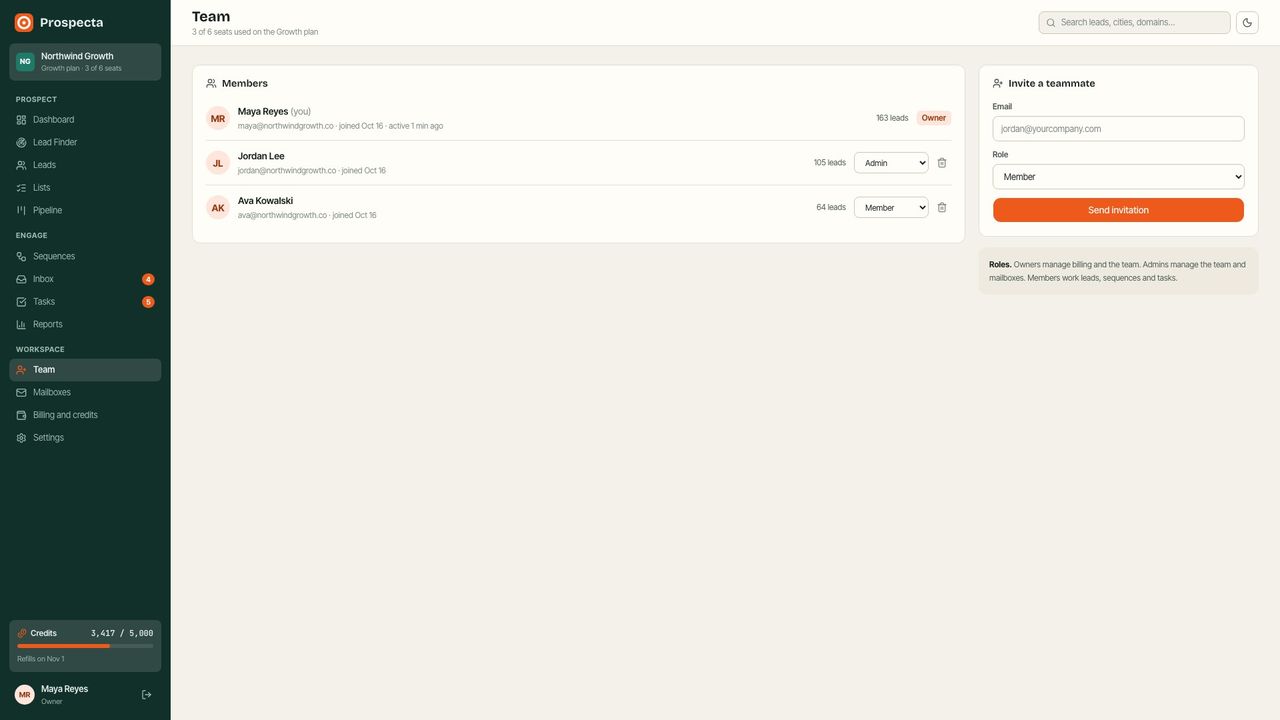
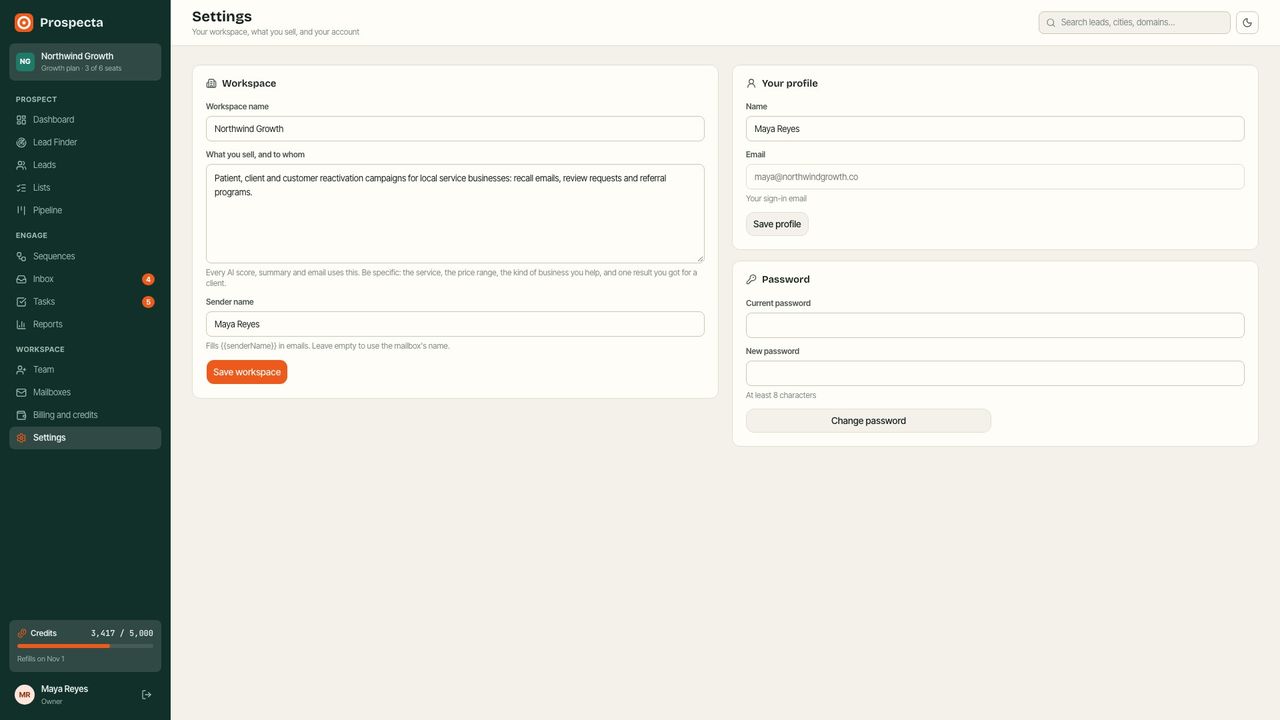
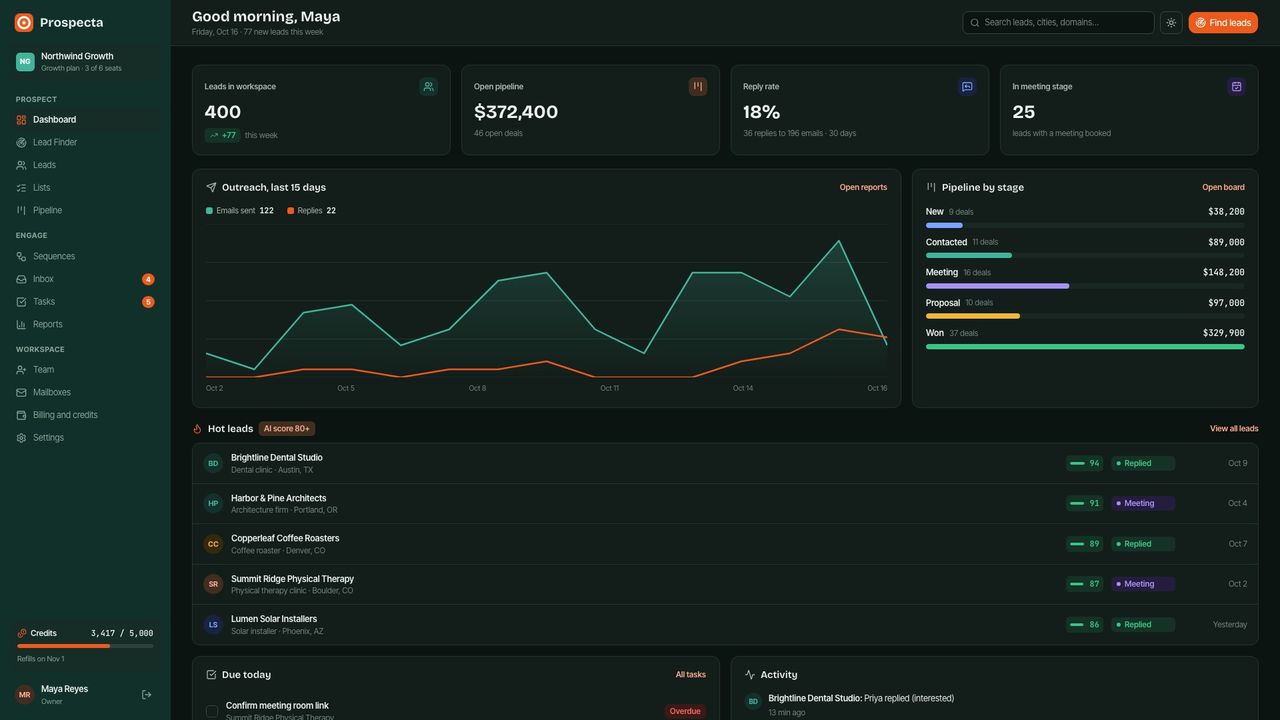
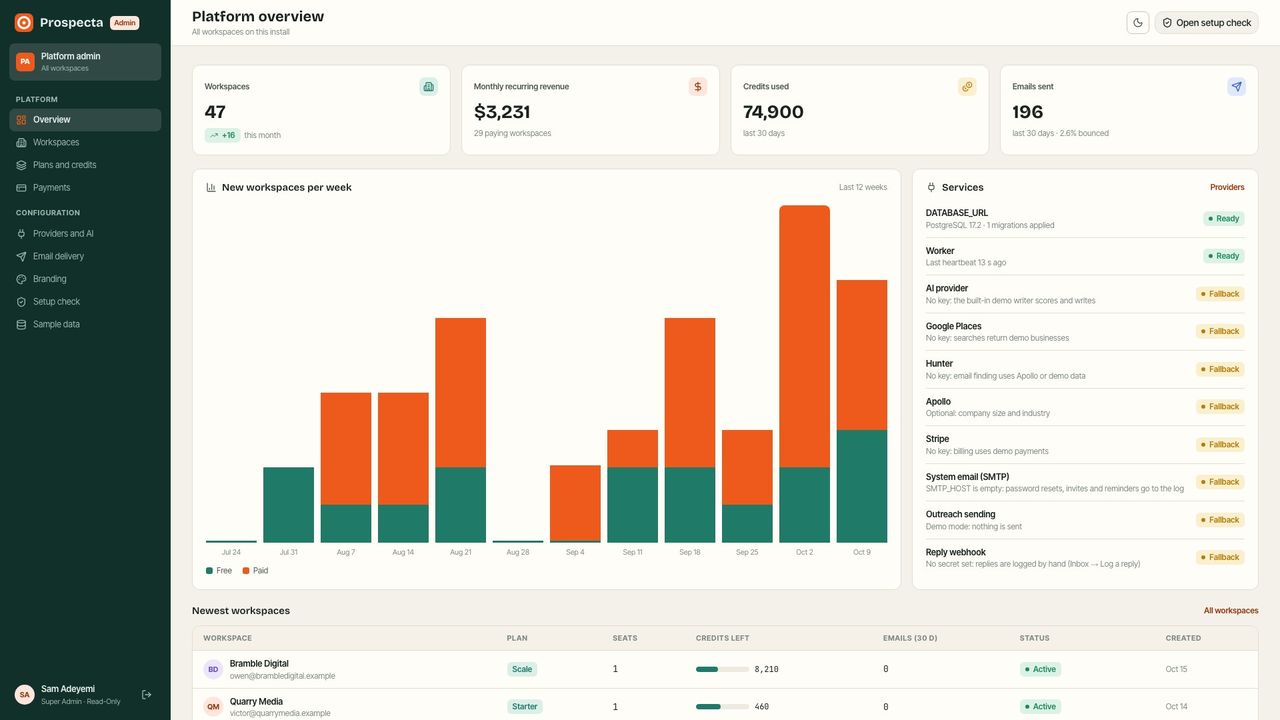
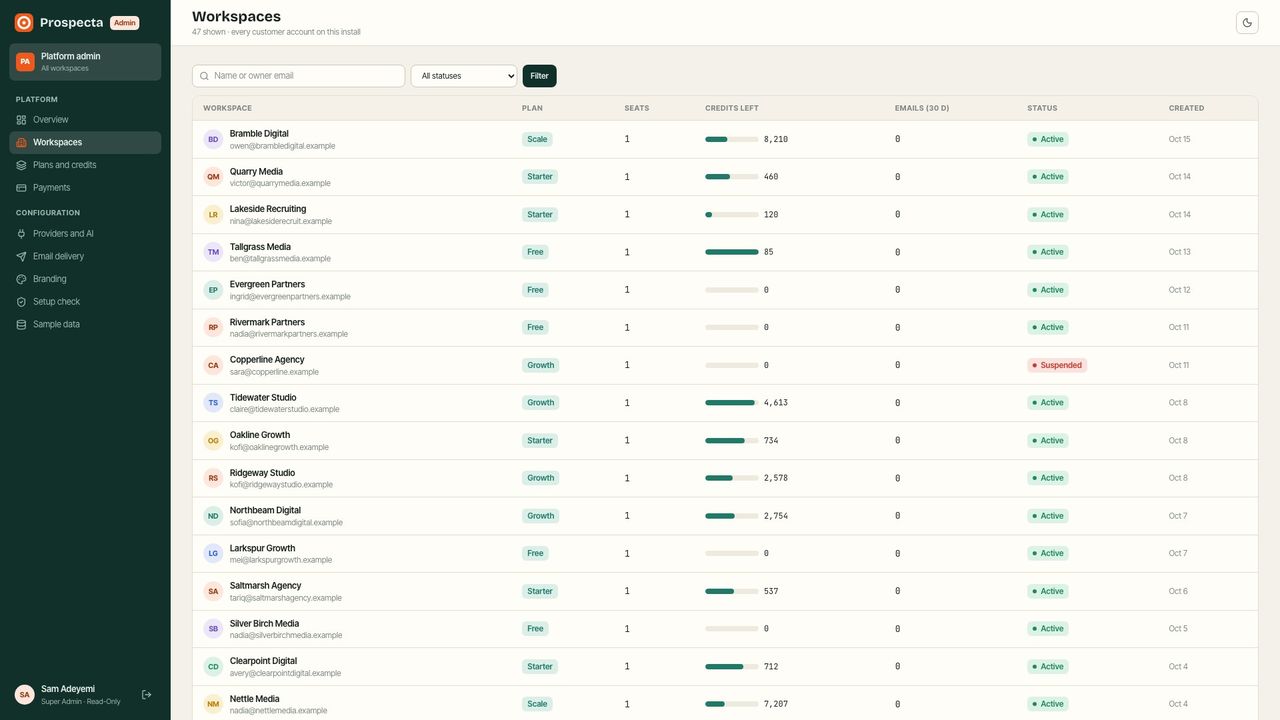
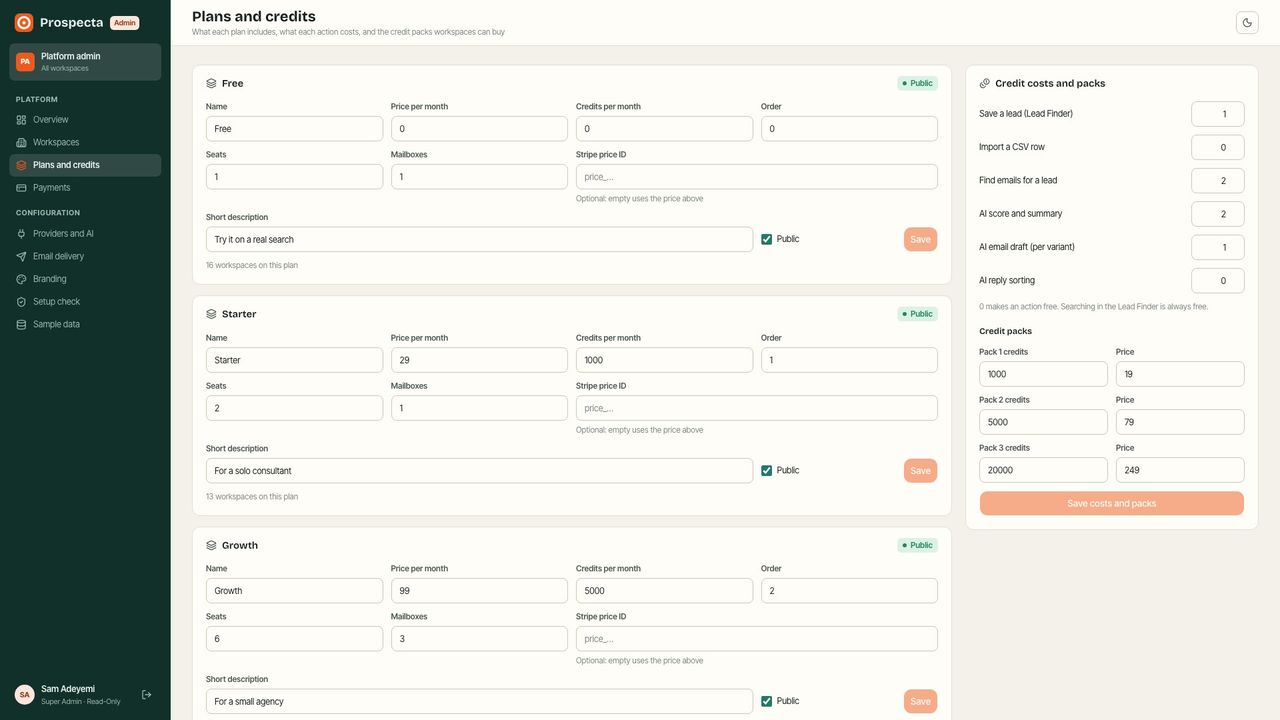
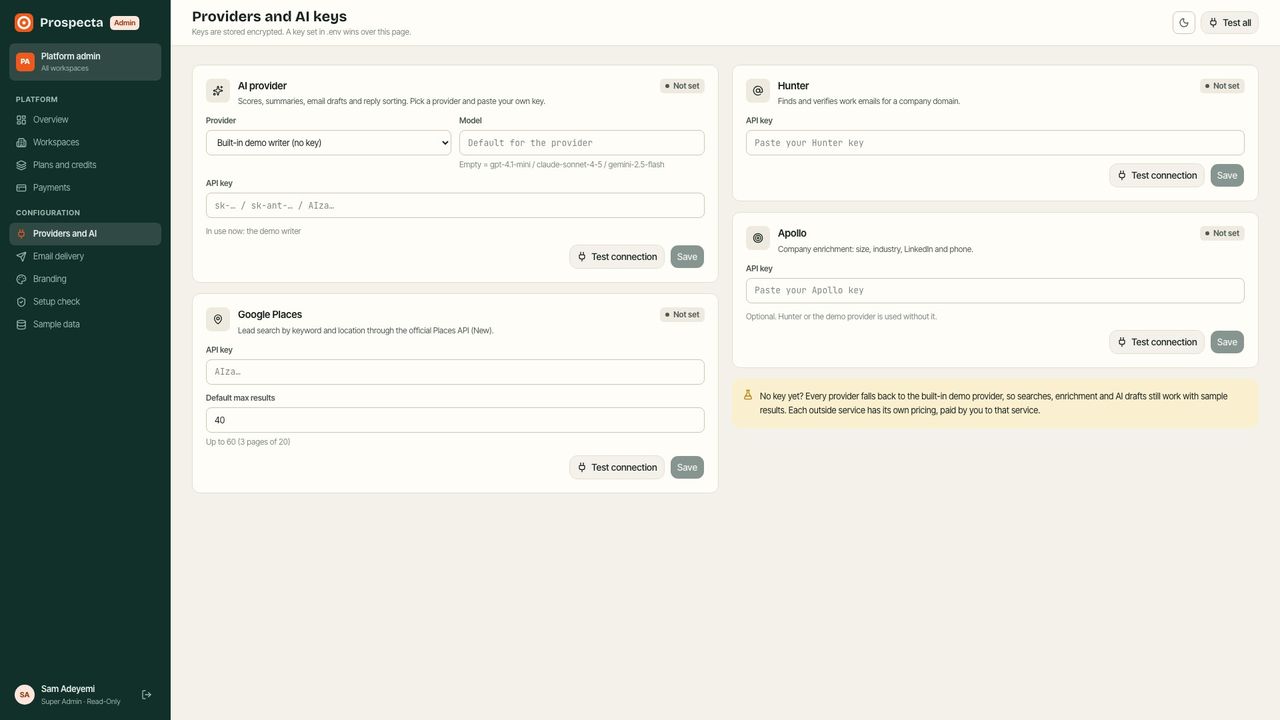
The main screens of the website, the workspace and the platform admin, with the sample data loaded.
Website and workspace
Platform admin
2. Requirements
- Easiest: any Linux server or computer with Docker and Docker Compose (Docker Desktop on Mac or Windows). 2 GB of RAM is enough to start; 4 GB is comfortable.
- Without Docker: Node.js 22 or newer, pnpm 10 or newer, and PostgreSQL 14 or newer (16 recommended).
- The build downloads packages from npm and the fonts from Google Fonts, so the server needs internet access while it builds. The fonts are then served from your own server: visitors' browsers never contact Google, and the site loads no other outside scripts. Payments open Stripe Checkout on Stripe's own site.
- A domain name pointed at your server, for HTTPS and for links in emails.
Third-party services
Prospecta works on day one without any outside account: each service falls back to a built-in demo provider until you add its key. When you are ready, connect the real services you want. Each of these services is run by another company under its own terms. Each has its own pricing tiers and the buyer is responsible for any costs. Prospecta does not include any paid service or key.
| Service | Used for | Without a key |
|---|---|---|
| OpenAI, Anthropic (Claude) or Google Gemini | Lead scores and summaries, email drafts, reply drafts and reply sorting | A built-in demo writer scores with simple rules and writes from templates |
| Google Places API (New) | Lead Finder searches by business type and location | Realistic demo businesses; CSV import always works |
| Hunter | Finding people and work emails for a company domain | Sample people (never emailed) |
| Apollo | Company size, industry and LinkedIn (optional) | Skipped |
| Stripe | Plan subscriptions, credit packs and the billing portal | Demo payments: plan changes and packs apply at once and are recorded as demo |
| Any SMTP mailbox (Google Workspace, Microsoft 365, Zoho, your host…) | Each workspace sends its sequences from its own mailboxes | Nothing is sent until a workspace connects a mailbox |
| Any SMTP service (Postmark, Amazon SES, Mailgun, Brevo…) | System email: password resets, invitations, task reminders | Written to the server log |
| An inbound email service (Postmark, Mailgun, SendGrid, Cloudflare Email Routing…) | Forwarding replies into the Inbox automatically | Replies are logged by hand from the Inbox |
Prospecta only uses official APIs and files you import. It does not scrape websites or search results.
3. Quick start (Docker)
This runs everything on your own computer or server: the database, the app and the worker.
- Unzip the download and open a terminal in the
deployfolder. - Copy the example settings:
cp .env.example .env - Open
.envin a text editor and fill in the first block:POSTGRES_PASSWORD: a long random password. Make one withopenssl rand -hex 24.APP_URL:http://localhost:3000on your computer, orhttps://app.yourdomain.comon a server.APP_SECRET: 32 or more random characters. Make one withopenssl rand -base64 48. Keep it safe and never change it after launch: it encrypts the stored keys and mailbox passwords.
- Start it:
The first start builds the app, which takes a few minutes. Later starts take seconds.docker compose up -d - Open
APP_URLin your browser. The install wizard opens.
docker compose ps and read the logs with docker compose logs -f web worker.4. Put it online (VPS, HTTPS)
- Rent a Linux server (Ubuntu 24.04 with 2–4 GB of RAM is plenty to start) and install Docker:
curl -fsSL https://get.docker.com | sh. - Point your domain (for example
app.yourdomain.com) at the server's IP address with an A record at your DNS provider. - Upload the
prospectafolder (for example withscp -ror SFTP) and open thedeployfolder on the server. - In
.envsetAPP_URL="https://app.yourdomain.com"andDOMAIN="app.yourdomain.com". - Start it with automatic HTTPS (Caddy gets and renews the certificate):
Ports 80 and 443 must be open in the server's firewall.docker compose --profile https up -d
https profile, keep WEB_PORT (default 3000) and forward your domain to it.5. Other hosting
A server without Docker
- Install Node.js 22, pnpm (
npm i -g pnpm) and PostgreSQL. Create a database and a user. - In
prospecta_web_nextjs:cp .env.example .envand fill inDATABASE_URL,APP_URLandAPP_SECRET. - Install, prepare the database and build:
pnpm install pnpm prisma:migrate:deploy pnpm prisma:seed pnpm build - Run the website with
pnpm start(port 3000, change withPORT) and the worker withpnpm worker. Keep both running with a process manager such aspm2or systemd, and put Nginx or Caddy in front for HTTPS.
Vercel and a managed database
The website runs well on Vercel with a managed PostgreSQL (Neon, Supabase, Railway…). Add the keys from .env.example in the Vercel project settings and set the build command to pnpm prisma:migrate:deploy && pnpm build. Two things to know:
- The worker must run somewhere that stays on (Vercel functions stop between requests): run
pnpm workerwith the same.envon a small server, or as a background worker on Railway, Render or Fly.io. Without it, sequences do not send and reminders do not go out. - Logo uploads (Admin → Branding) are saved to disk (
UPLOAD_DIR), and Vercel has no disk that lasts. On Vercel, keep the built-in mark or change it in code; a server with Docker keeps uploads in a volume.
6. Install wizard and sample data
The first visit opens the install wizard. It runs once.
- Check the server: the database connection and tables,
APP_URLandAPP_SECRET. - Create the admin account: your name, email and password. This is the platform admin (you).
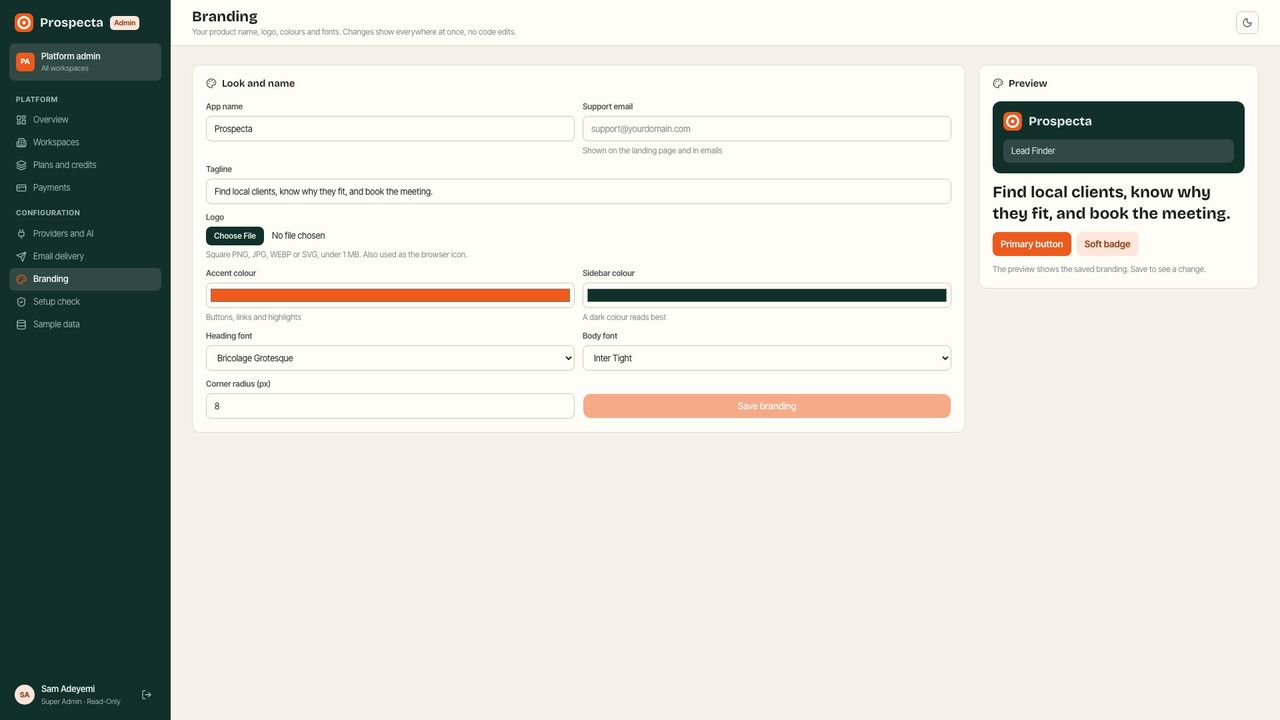
- Name your product: product name, tagline and main colour. Change them later in Admin → Branding.
- Add sample data? A sample workspace, “Northwind Growth”, with about 400 leads, sequences, replies, deals and tasks, plus a list of sample customer workspaces for the admin. You become the owner of the sample workspace. Sample contacts are marked as samples and are never emailed. Remove all of it later in Admin → Sample data with one click.
Your customers then sign up on the website. Each new workspace starts on the Free plan with 100 credits.
7. Every key, explained
All settings live in one .env file (deploy/.env with Docker, prospecta_web_nextjs/.env without). Only the three required keys are needed to start. Most service keys can also be pasted in Admin → Providers and AI instead; a key in .env wins over the admin one. After changing .env, restart: docker compose up -d.
| Key | Required | What it does and where to get it |
|---|---|---|
| Required | ||
DATABASE_URL | Yes | PostgreSQL connection string. The Docker setup builds it from POSTGRES_* for you. |
APP_URL | Yes | The public address of your site, without a trailing slash, e.g. https://app.yourdomain.com. |
APP_SECRET | Yes | A long random string. Signs sessions and encrypts stored API keys and mailbox passwords. Never change it after launch. |
| AI | ||
AI_PROVIDER | - | openai, anthropic or gemini. Optional: you can also pick the provider in Admin → Providers and AI. |
AI_MODEL | - | Model name, e.g. gpt-4.1-mini, claude-sonnet-4-5 or gemini-2.5-flash. Empty = the default for the provider. |
OPENAI_API_KEY | - | From platform.openai.com → API keys. |
ANTHROPIC_API_KEY | - | From console.anthropic.com → API keys. |
GEMINI_API_KEY | - | From aistudio.google.com → Get API key. |
| Lead search | ||
GOOGLE_PLACES_API_KEY | - | Google Cloud → enable “Places API (New)” → Credentials → API key. Empty = demo search results. |
| Enrichment | ||
HUNTER_API_KEY | - | hunter.io → API. Finds people and work emails for a company domain. |
APOLLO_API_KEY | - | apollo.io → Settings → API keys. Adds company size, industry and LinkedIn. |
| Payments | ||
STRIPE_SECRET_KEY | - | dashboard.stripe.com → Developers → API keys. Empty = demo payments. |
STRIPE_WEBHOOK_SECRET | - | Stripe → Webhooks → add <APP_URL>/api/stripe/webhook (checkout.session.completed, customer.subscription.deleted) → signing secret. |
CURRENCY | - | Three-letter currency for plans and credit packs. Default usd. |
| System email | ||
SMTP_HOST | - | SMTP server for password resets, invites and reminders. Empty = these emails are written to the log. |
SMTP_PORT | - | Usually 587 (STARTTLS) or 465 (SSL). |
SMTP_USER | - | SMTP login. |
SMTP_PASS | - | SMTP password or app password. |
SMTP_SECURE | - | true for port 465, otherwise empty. |
SMTP_FROM | - | Sender, e.g. "Prospecta <no-reply@yourdomain.com>". |
| Outreach | ||
EMAIL_SENDING | - | smtp (default) sends sequences through each workspace mailbox; log only writes them to the log; off marks them simulated. |
INBOUND_EMAIL_SECRET | - | Shared secret for the reply webhook <APP_URL>/api/inbound/email (Mailgun, Postmark, SendGrid or Cloudflare Email Routing). |
| Server | ||
UPLOAD_DIR | - | Folder for uploaded logos. Docker uses a volume at /app/uploads. |
DEMO_MODE | - | Leave empty. true = public demo (one-click demo sign-in, read-only admin, nightly reset, no email). |
Docker only: POSTGRES_DB, POSTGRES_USER and POSTGRES_PASSWORD create the database and build DATABASE_URL for you; WEB_PORT is the port on the host; DOMAIN is used by the HTTPS profile.
8. Setup check
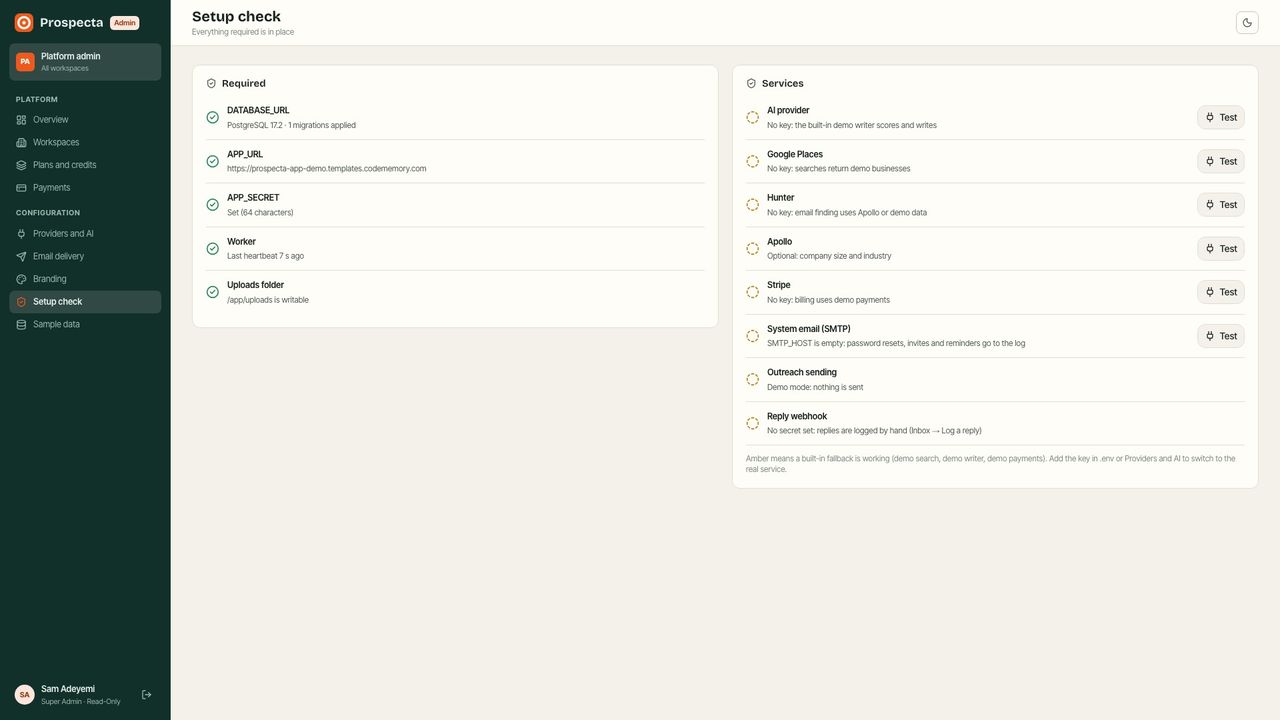
Admin → Setup check lists every requirement and service with its state: Ready, Fallback (works with the built-in demo provider) or Needs setup. Each service has a Test button that makes one small real call with your key (for example a one-word AI answer or one Places search) and shows the answer or the exact error. The same check runs in a terminal:
docker compose run --rm migrate pnpm setup:check9. Connect the services
AI provider (OpenAI, Anthropic or Gemini)
- Create a key: platform.openai.com → API keys, console.anthropic.com → API keys or aistudio.google.com → Get API key.
- In Admin → Providers and AI, pick the provider, paste the key, optionally set a model, and press Test connection. Or set
AI_PROVIDERand the key in.env.
Defaults: gpt-4.1-mini, claude-sonnet-4-5, gemini-2.5-flash. Every AI action costs your customers credits (see Plans and credits), so you can price your own AI costs into your plans.
Google Places (Lead Finder)
- Open Google Cloud Console, create a project and add billing.
- Enable Places API (New) under APIs and Services.
- Create an API key under Credentials. Restrict it to the Places API.
- Paste it in Admin → Providers and AI → Google Places (or
GOOGLE_PLACES_API_KEY) and press Test connection.
Default max results sets how many businesses one search returns (up to 60, three pages of 20). Workspaces can always import a CSV file instead: the Lead Finder's CSV tab maps columns such as name, website, phone, city, email and first name, and a sample file is linked on that tab.
Hunter and Apollo (emails and company data)
Hunter (hunter.io → API) finds people and work emails for a company's domain, with a verification status. Apollo (apollo.io → Settings → Integrations → API keys) adds company size, industry and LinkedIn. Both are optional. Without them, enrichment returns sample people that are marked as samples and never emailed.
Sending mailboxes (per workspace)
Each workspace connects its own mailboxes in Mailboxes → Connect mailbox. Sequences send through them, one email at a time, so replies come back to a real inbox.
| Provider | SMTP host | Port | Password |
|---|---|---|---|
| Google Workspace / Gmail | smtp.gmail.com | 587 | An app password (Google Account → Security → 2-Step Verification → App passwords) |
| Microsoft 365 / Outlook | smtp.office365.com | 587 | The mailbox password with SMTP AUTH enabled for that mailbox in the Microsoft 365 admin |
| Zoho Mail | smtp.zoho.com | 465 (SSL on) | An app-specific password |
| Your web host | From your host's email settings | 587 or 465 | The mailbox password |
For each mailbox you set a daily limit, a gap between sends and a sending window (days, hours and time zone). The worker never sends outside them. Start new mailboxes at 20–40 emails a day and raise slowly. Send test email checks the login and delivers a test to yourself. A mailbox whose login fails is marked Failing and its sequences pause until it is fixed.
EMAIL_SENDING controls outreach for the whole install: smtp (real sending), log (written to the worker log, for testing) or off (recorded as simulated).
Replies webhook (Inbox)
Replies reach the Inbox in two ways:
- Automatically: in Admin → Email delivery, create the inbound secret (or set
INBOUND_EMAIL_SECRET). Then set up your inbound email service to POST each reply tohttps://app.yourdomain.com/api/inbound/emailwith the headerx-inbound-secret: your-secret(or?secret=your-secretin the URL when the service cannot add headers). Field names from Postmark (From,TextBody,Subject) and Mailgun (sender,body-plain,subject) work as they are, as does this JSON:
A common setup: a reply-to address on a domain whose mail is forwarded to Postmark or Mailgun inbound, or a mail rule that forwards replies there.{ "from": "priya@clinic.com", "to": "maya@youragency.com", "subject": "Re: Quick idea", "text": "Sounds good…", "inReplyTo": "<message-id>" } - By hand: Inbox → Log a reply, paste the reply. It is sorted the same way.
Each reply is matched to the contact by email, sorted by AI (interested, meeting, referral, not now, out of office, unsubscribe, bounced), stops that contact's sequences (except out of office), and updates the lead's status.
System email (SMTP)
Password resets, team invitations and task reminders are sent by the platform, not by workspace mailboxes. Set SMTP_HOST, SMTP_PORT, SMTP_USER, SMTP_PASS, SMTP_SECURE and SMTP_FROM with any transactional email service. Until then these emails are written to the log (docker compose logs web worker), so you can still copy a reset link while testing. Test it in Admin → Email delivery.
Stripe (plans and credit packs)
- In dashboard.stripe.com → Developers → API keys, copy the secret key (
sk_test_…while testing) intoSTRIPE_SECRET_KEY. - Developers → Webhooks → Add endpoint:
https://app.yourdomain.com/api/stripe/webhookwith the eventscheckout.session.completedandcustomer.subscription.deleted. Copy the signing secret (whsec_…) intoSTRIPE_WEBHOOK_SECRET. - Restart. Prices come from your plans in Admin → Plans and credits; you can also paste a Stripe Price ID per plan to use your own Stripe products.
- Turn on the customer portal in Stripe (Settings → Billing → Customer portal) so workspaces can change cards and cancel.
Without Stripe keys, billing runs in demo mode: plan changes and packs apply at once and are recorded as demo payments.
10. Using Prospecta
Lead Finder
Search by business type and location (Google Places), or import a CSV. Filter by website, phone and minimum rating, select the businesses you want and save them to a list. Businesses already saved are marked. Saving costs credits; searching is free.
Leads
Every company with its AI score, status, lists, contacts, owner and last activity. Switch to Contacts for people. Filter, sort and select many at once to add them to a list, enroll them in a sequence, enrich and score them, create deals or assign an owner. Export downloads a CSV.
Lead page
The AI summary with the score, reasons for and against and a suggested next step; contacts (add, find emails); the activity timeline; emails sent and received; deals; notes; and actions: log a call, write an email (with an AI draft), enroll in a sequence, change status.
Pipeline
Deals in New, Contacted, Meeting, Proposal, Won and Lost. Drag a card to move it. Each deal has a value, an owner, an expected close date and a linked lead.
Sequences
Build steps (emails and call tasks) with delays in days. Write each email yourself or press Write 3 variants to let AI draft them in a chosen tone and length. Insert variables such as {{firstName}}, {{company}}, {{city}}, {{rating}}, {{reviewCount}}, {{aiOpener}} (a personal first line from the lead's data), {{senderName}} and {{unsubscribeUrl}}. Pick the sending mailbox, choose whether to stop when a contact replies and to skip unverified emails, then turn the sequence on and enroll contacts. Test send sends the open step to yourself.
Inbox
Replies sorted by AI, with filters per kind. Open one to see the whole thread, change the label, answer it (with an AI draft based on the lead summary) or create a deal.
Tasks, Reports, Team
Tasks are calls, emails, to-dos and follow-ups with due dates and email reminders. Reports show leads by source, the outreach funnel, sequence performance and team activity for 30 days, 90 days or 12 months, and print to PDF. Owners and admins invite teammates by email; members work leads, sequences and tasks; only owners and admins manage billing, mailboxes and the team.
11. Platform admin
Sign in with the admin account from the install wizard; the admin opens at /admin.
- Overview: workspaces, monthly recurring revenue, credits used, emails sent and bounce rate, sign-ups per week, service status.
- Workspaces: search every customer, change a plan, add credits with a reason, suspend with a message (sequences pause) or reactivate.
- Plans and credits: plan names, prices, monthly credits, seats, mailboxes, Stripe Price IDs, the cost of each action and the credit packs.
- Payments: every payment from Stripe or demo mode.
- Providers and AI, Email delivery: keys and tests (see Connect the services).
- Branding: name, tagline, support email, logo, colours, fonts and corner radius.
- Setup check and Sample data (remove all sample workspaces and users in one click).
12. Plans and credits
Every workspace has a plan with monthly credits, plus credits bought in packs (which never expire and are used after the monthly ones). Actions cost credits; you set the costs in Admin → Plans and credits.
| Action | Default cost |
|---|---|
| Save a lead from the Lead Finder | 1 |
| Import a CSV row | 0 |
| Find emails for a lead (Hunter / Apollo) | 2 |
| AI score and summary | 2 |
| AI email draft (per variant) | 1 |
| AI reply sorting | 0 |
| Plan | Price | Credits a month | Seats | Mailboxes |
|---|---|---|---|---|
| Free | $0 | 100 to start (once) | 1 | 1 |
| Starter | $29 | 1,000 | 2 | 1 |
| Growth | $99 | 5,000 | 6 | 3 |
| Scale | $249 | 20,000 | 20 | 10 |
Credits refill on the 1st of each month. When a workspace runs out, saving, enrichment and AI actions stop with a message that points to Billing and credits; sending already-written sequence emails does not use credits.
13. Background worker
The worker (pnpm worker, the worker service in Docker) runs these jobs. Only one worker does the work at a time, so running two by mistake is safe.
- Every 15 seconds: send due sequence steps, inside each mailbox's window, daily limit and gap; create call tasks.
- Every minute: email task reminders when they are due.
- Every 10 minutes: refill monthly credits for workspaces whose month has started.
- Every hour: clean up expired sessions and password-reset links, and search results older than 30 days.
Admin → Setup check shows Not running when the worker has not checked in for two minutes.
14. Customise and rebrand
- Without code: Admin → Branding (name, tagline, logo, colours, fonts, corner radius) and Admin → Plans and credits.
- Website text:
prospecta_web_nextjs/src/app/(site)/page.tsx(home page),termsandprivacynext to it. Replace the legal pages with your own before launch. - Colours and the dark theme: the design tokens at the top of
src/app/globals.css. - Services: every outside service sits behind one small file in
src/lib/server/providers/(ai.ts,search.ts,enrich.ts,mailer.ts) andsrc/lib/server/payments.ts. To add a provider, add a branch there that returns the same shape. - Database: the schema is
src/database/prisma_client/schema.prisma. After a change runpnpm prisma:migrate:devand thenpnpm prisma:generate. - Checks:
pnpm lint,pnpm typecheck,pnpm test(needs a PostgreSQL inDATABASE_URL; tests use a throwaway schema) andpnpm e2e(Playwright, against a running demo).
15. Sending responsibly
You and your customers are responsible for following the email and privacy laws where you and the recipients are (for example CAN-SPAM in the United States, GDPR and PECR in Europe and the UK, CASL in Canada) and the terms of each service. Prospecta helps:
- Every outreach email carries a one-click List-Unsubscribe header, so Gmail and Yahoo show an Unsubscribe button. Add
{{unsubscribeUrl}}to your templates for a visible link; it opens a page with one button, so link scanners cannot unsubscribe anyone by accident. - Unsubscribed and bounced contacts are never emailed again, and replying “unsubscribe” works too.
- Daily limits, gaps and sending windows keep volume low and human. Set up SPF, DKIM and DMARC for every sending domain, and warm up new mailboxes slowly.
- Lead data comes from official APIs and your own files. Store and use it under the terms of those providers.
16. Update, back up, move
Update to a new version
- Back up the database (below).
- Replace the
prospecta_web_nextjsanddeployfolders with the new ones, keeping yourdeploy/.env. - Run
docker compose up -d --build. Database migrations run automatically on start.
Back up
docker compose exec postgres pg_dump -U prospecta prospecta > backup-$(date +%F).sqlUploaded logos are in the uploads Docker volume. Keep a copy of .env (with APP_SECRET) somewhere safe: without it, stored keys and mailbox passwords cannot be decrypted.
Restore
cat backup.sql | docker compose exec -T postgres psql -U prospecta prospecta17. FAQ and troubleshooting
The install wizard says the database is not reachable
With Docker, check docker compose ps: postgres must be healthy and migrate must have exited with code 0 (docker compose logs migrate). Without Docker, check DATABASE_URL.
Sequence emails are not going out
Check, in order: the worker is running (Admin → Setup check); EMAIL_SENDING is smtp; the sequence is on and has a mailbox; the mailbox is not Failing; you are inside its sending window and under its daily limit (Mailboxes → Send queue lists the emails waiting); the contact's email is verified when “skip unverified” is on. The lead page shows the last error for each sequence the contact is in.
Gmail says “Username and Password not accepted”
Use an app password, not the account password. App passwords need 2-Step Verification on the Google account.
Password reset emails do not arrive
Set the system SMTP keys (System email). Until then the reset link is in the log.
Stripe payments do not change the plan
The webhook is missing or its secret is wrong. Check the endpoint URL and events in Stripe, and that STRIPE_WEBHOOK_SECRET matches. Stripe shows each delivery attempt and its answer.
Can I use another AI model?
Yes: any chat model of the selected provider, set in Admin → Providers and AI or AI_MODEL.
I changed APP_URL or the domain
Update APP_URL (and DOMAIN), the Stripe webhook URL and the inbound webhook URL, then restart.
18. Licence
Your rights come from the Envato licence you bought. The Regular Licence covers one end product whose users are not charged. Prospecta is a SaaS: if your customers pay for plans or credits through it, you need the Extended Licence. See LICENSE.txt and codecanyon.net/licenses/standard.
19. Credits
Prospecta is built on these open-source projects, each under its own licence:
- Next.js and React (MIT)
- Prisma (Apache 2.0) and node-postgres (MIT)
- Tailwind CSS (MIT), shadcn/ui (MIT), Base UI (MIT), Lucide icons (ISC), Sonner (MIT), next-themes (MIT)
- Nodemailer (MIT-0), stripe-node (MIT), Zod (MIT), dotenv (BSD-2-Clause)
- Fonts from Google Fonts under the SIL Open Font License 1.1: Bricolage Grotesque, Inter Tight, JetBrains Mono, Space Grotesk, Fraunces, Inter, DM Sans, IBM Plex Sans
- Development: TypeScript, Biome, Vitest, Playwright, tsx
All sample businesses, people, emails and phone numbers (555 numbers) are fictional.
20. Changelog
1.0.0 · 16 October 2026
First release: Lead Finder (Google Places, CSV, demo data), leads and contacts, AI scoring and summaries with OpenAI, Anthropic or Gemini, Hunter and Apollo enrichment, lists, deal pipeline, tasks with reminders, email sequences from workspace SMTP mailboxes with limits and windows, one-click unsubscribe, AI-sorted inbox with reply drafts, reports, teams and roles, plans, credits and Stripe billing, platform admin, branding, install wizard, sample data, Docker setup with automatic HTTPS, light and dark mode. Full list in CHANGELOG.md.